
Cart is empty
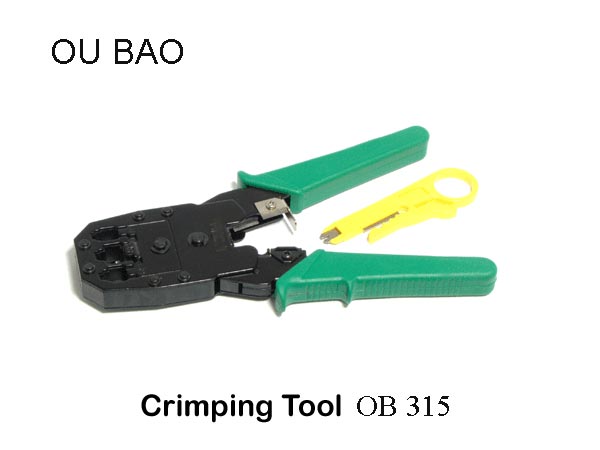


Crimping Tool Nt084
Special Price LKR 2250.00
Regular Price:
- Islandwide Delivery Available
Crimping Tool OU BAO
OB-315
The Ou Bao OB-315 is a 3-in-1 multi-functional network tool that cuts, strips, and crimps Ethernet and telephone cables.
It supports RJ45, RJ11, and RJ12 modular connectors with 8P8C, 6P6C, and 4P4C plugs.
- Crimps: Secures 8P8C (RJ45), 6P6C (RJ12), and 4P4C (RJ11) plugs onto network and telephone wires.
- Cuts: Built-in sharp blade trims cables cleanly before termination.
- Strips: Removes outer jackets and insulation from twisted pair and flat cables.
- Material: Made with hard, durable magnetic or hardened steel on the crimping mouth and cutting edges for long-lasting use.
- Operation: Straightforward press-plier design allows you to insert the modular plug into position and squeeze the handles.
- Use: Designed for home users, office IT setups, and CCTV or LAN cable maintenance.
Prepare and line up your cable wires, insert the plug into the correct socket slot, and squeeze the handle.
- Strip the cable: Insert the network or telephone cable into the stripping slot. Spin or squeeze the tool lightly and pull off the outer jacket to show the inner wires.
- Arrange the wires: Untwist the inner colored wires and line them up straight in the correct standard color order (such as T568B for Ethernet cables).
- Trim the ends: Use the built-in cutting blade on the tool to trim the ends of the wires so they are even and flat.
- Insert into the plug: Push the wires all the way into the clear plastic modular plug (crystal head) until the copper ends reach the front.
- Insert the plug: Place the loaded plastic plug into the correct-sized slot on the Ou Bao OB-315 tool (such as the 8P slot for RJ45).
- Squeeze the handles: Squeeze the handles together firmly all the way until the internal mechanism releases or stops. This pushes the metal pins down into the wires and locks the outer cable jacket in place.
- Remove and test: Take the finished cable out of the tool and check that all pins are pressed down evenly and the cable is held tight.